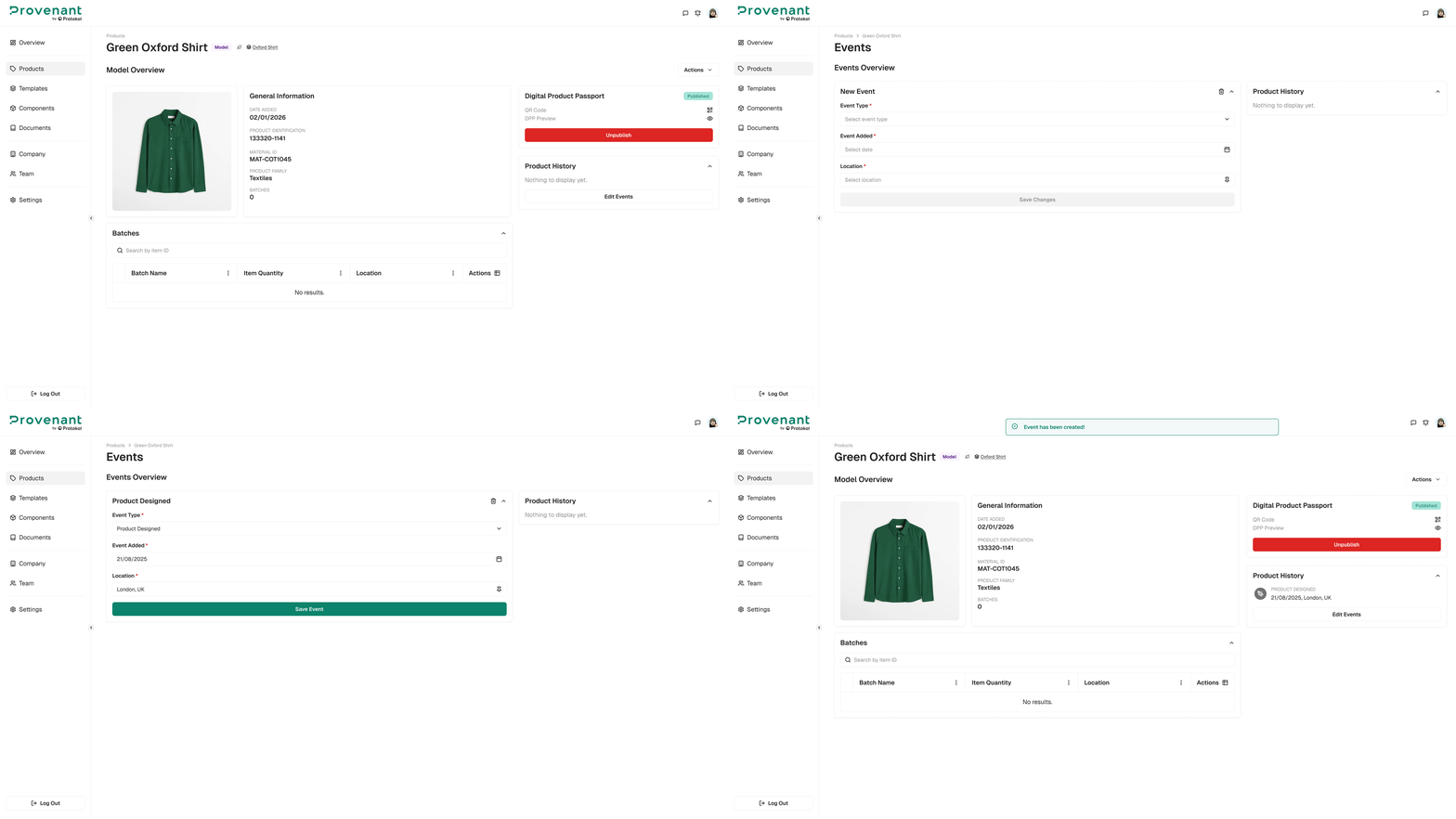
Add Model Events
Record milestones at the model level. Model-level events appear on all batches under that model in the DPP journey.
When to use model events
Use model events for changes that apply to every batch of a product, such as:
- Product launched.
- Certification obtained or renewed.
- Significant design update.
- Major sustainability or circularity milestone.
Steps
- Open the
Model Overviewfor your product. - Select
Add Events. - Choose an
Event typefrom the list. - Set the Date and Location.
- Optionally, add a short Title and Notes for extra context.
- Select
Save Event.