Supplier Review
Overview
Use Supplier review to request suppliers to validate or complete component data via an invitation flow. Suppliers can propose changes or reject the request with a reason. Internal teams can approve and merge changes, reject them, and restore previous versions. Review history is retained.
Where to find it
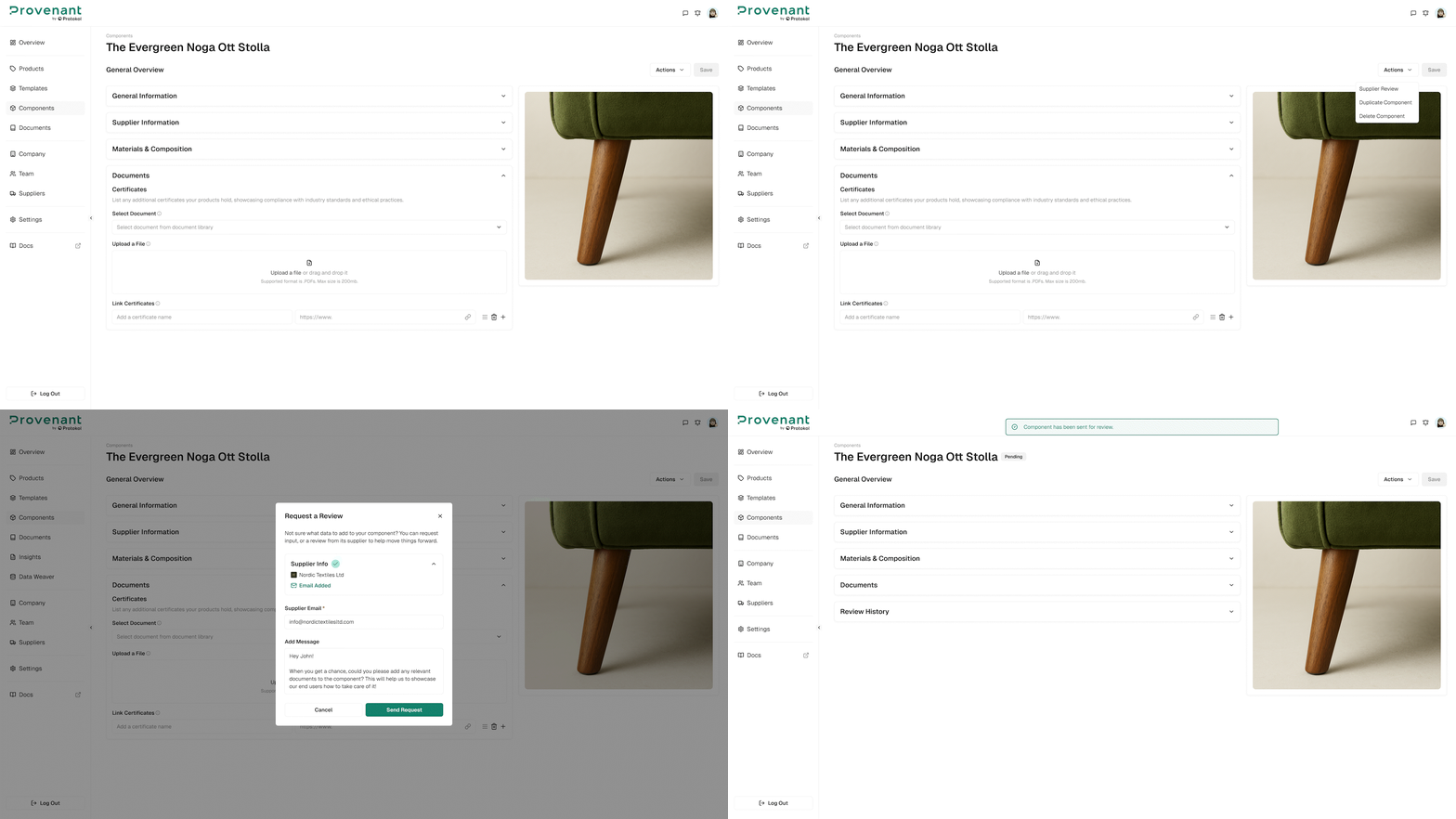
Open a component, then select Supplier Review.
Send a supplier review request
- Open a component.
- Click
Supplier Review. - Confirm or edit the supplier email address.
- Click
Send Request.
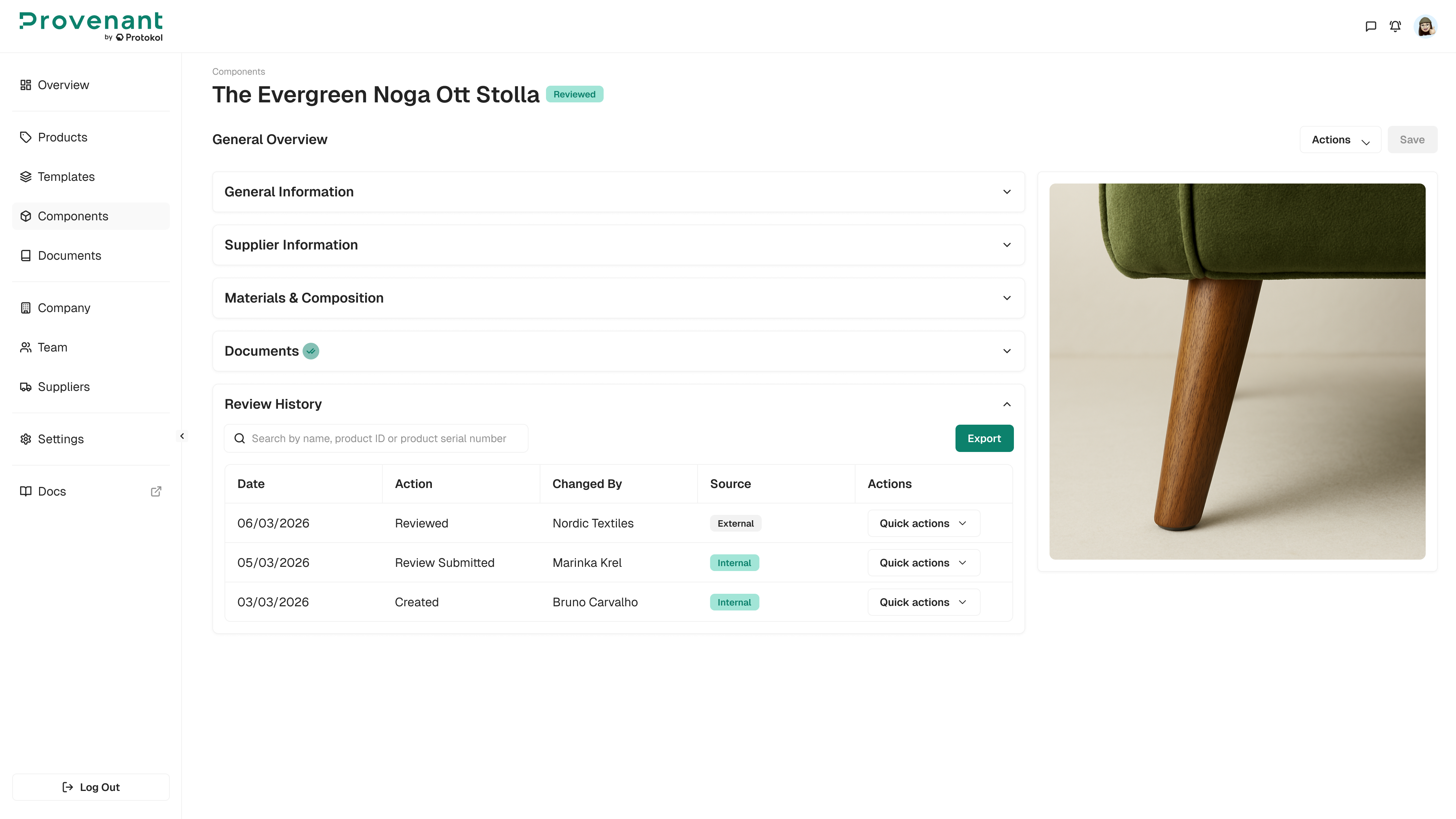
Review history and restore
All review actions are logged (submissions, approvals, rejections, restores). Use Restore to roll back to a previous version if needed.
:::tip Note If a supplier rejects a request, capture the reason in the record so internal reviewers understand what needs to change. :::